The Chaos of the Inbox
Your EHR Inbox Is Unpaid Labor Disguised as Responsibility
You finished your last patient at 4:45 PM.
You should be done.
But your inbox has 47 unread messages. Six lab results. Three refill requests. A consult report that needs acknowledgment. Two portal messages from patients who want medication changes over text.
So you stay. Or you log in after dinner. Or you wake up early and start clicking before the clinic opens.
None of that time is compensated. None of it shows up on a timesheet. But your employer depends on you doing it.
This is not a productivity problem. This is a labor extraction problem dressed up as "being thorough."
Why Does the EHR Inbox Feel So Overwhelming?
Answer Capsule: The EHR inbox feels overwhelming because it generates continuous, unstructured tasks with no built-in boundaries, protected time, or delegation framework.
The inbox is not just a feature in your EHR. It is a second job.
It collects everything that does not fit neatly into a patient visit: lab results, imaging reports, prior authorization requests, patient portal messages, referral documents, prescription renewals, insurance forms.
Each item demands a different type of thinking. Each one interrupts whatever you were doing before.
And here is the structural problem no one names out loud: your employer almost certainly did not build protected time into your schedule for any of it.
You were given a patient panel and a visit schedule. The inbox was left for you to figure out on your own time.
That is not an oversight. That is a design choice. And the cost lands entirely on you.
Is Your Inbox Problem Really a Time Management Problem?
Answer Capsule: No. Most inbox overwhelm results from structural failures in job design, not from poor time management on the provider's part.
The most common advice is "work faster" or "be more efficient."
But speed cannot fix a workload that was never designed to fit inside your compensated hours.
If you are spending 60 to 90 minutes per day on inbox work and none of that time is protected or paid, the math is simple. At a $60/hour effective rate, that is $300 to $450 per week in donated labor. Over a year, that approaches $20,000 in work you are giving away.
This is not a character flaw. This is a structural design issue.
And the fix is not willpower. It is systems.
What Is the OHIO Principle for Inbox Management?
Answer Capsule: OHIO stands for Only Handle It Once, meaning every inbox item should be acted on, delegated, or deferred the first time you open it.
Every time you open an inbox item, glance at it, and close it without resolving it, you have spent mental energy without producing a result. Do that 15 times across a shift and you have burned significant cognitive bandwidth on tasks that are still sitting there, waiting.
OHIO eliminates that cycle. When you open an item, you commit to one of three actions:
Act, if the task takes less than two minutes. Sign the refill. Acknowledge the normal result. Release the note.
Delegate, if someone else on your team is qualified to handle it. Retrieving outside records, calling pharmacies, scheduling follow-ups. These are not provider-level tasks.
Defer, if the item requires more time or clinical review. Move it to a specific folder or task list with a defined time block. Then close it.
The point is simple: every item gets touched once. That alone can cut inbox time significantly.
How Does Batch Processing Reduce Inbox Overwhelm?
Answer Capsule: Batch processing groups similar inbox tasks into dedicated time blocks, eliminating the constant context-switching that drains focus and extends your workday.
Checking your inbox between every patient is one of the fastest ways to dilute your concentration and extend your day.
Every time you switch from charting to inbox to charting again, your brain pays a tax. Research on cognitive switching suggests it takes several minutes to fully re-engage with the original task. Multiply that across a 20-patient day and you have lost significant time to transitions alone.
Batch processing is the antidote.
Set two or three protected blocks during the day for inbox work. Process all normal lab results in one pass. Handle refill requests in a focused 15-minute window. Address portal messages during a scheduled block, not as they arrive.
This is not ignoring patients. This is managing your attention like the finite clinical resource it is.
What Role Do Templates and Dot Phrases Play in Inbox Efficiency?
Answer Capsule: Templates and dot phrases eliminate repetitive typing, standardize responses, and can cut inbox processing time by half or more.
If you are manually typing the same response to normal lab results, routine refill approvals, or scheduling redirects, your workflow is broken.
Every EHR has a mechanism for saving and reusing pre-written text. In Epic, these are SmartPhrases. In Athena, dot phrases. In Cerner, AutoText. The name varies. The principle does not.
Build templates for the messages you send most often. Normal lab result notifications. Refill confirmations. Portal responses that redirect clinical questions to scheduled visits. Prior authorization language.
These are not shortcuts. They are clinical safety instruments. A standardized response is more accurate, more defensible, and faster than something you type from scratch at 7 PM while half-watching your phone.
Should You Respond to Clinical Questions Through the Patient Portal?
Answer Capsule: No. Portal messages requesting new diagnoses, medication changes, or clinical assessments should be redirected to a scheduled visit for proper evaluation.
This is a boundary that protects both you and your patients.
When a patient sends a portal message asking you to evaluate a new symptom, change a medication, or interpret a test result, responding in full creates several problems. You are practicing without a physical exam. You are generating medical decision-making without a billable encounter. And you are absorbing clinical liability during unpaid, unstructured time.
Build a template that acknowledges the patient's concern and redirects them to schedule an appointment for proper evaluation. This is not dismissive. It is clinically appropriate.
Your inbox is not a virtual visit. Treating it like one dilutes your salary with free labor and increases your liability exposure.
The Deeper Problem No One Talks About
The inbox is not the disease. It is a symptom.
The real issue is that most NP jobs were designed without any accounting for administrative work. Visit slots are filled edge to edge. Documentation time is assumed to happen "between patients." And inbox management is treated as invisible labor that providers just absorb.
You were trained to diagnose and treat. You were never trained to manage the operational reality of independent practice: the inbox, the portal, the refills, the prior authorizations, the result management, the delegation, the boundaries.
That gap between what you were taught and what the job actually requires is where the unpaid hours live.
Closing that gap is not about working harder. It is about building systems that match the actual demands of the work.
Where to Go from Here
If you are spending your evenings and weekends in your inbox, the problem is not discipline. The problem is that no one ever gave you a framework for managing this work inside your compensated hours.
Chart Smart Mastery was built for this problem specifically. It covers inbox structure, batch processing, delegation frameworks, and template systems so the administrative work happens inside your compensated hours, not after dinner. These are the systems I use in my own practice, every day.
This is not theory. These are the exact systems I use every day in my own practice.
➡️ Learn more about Chart Smart Mastery here.
Related Reading
Stop Working a 60-Hour Job on a 40-Hour Salary
Why Perfectionist Charting is a Pipeline to Unpaid Work
FAQ: EHR Inbox Management for NPs
How much time do NPs spend on inbox work per day? Studies and surveys suggest primary care providers spend 60 to 90 minutes per day on inbox tasks. For NPs without protected admin time, most of this happens outside compensated hours.
Can AI scribes help with inbox management? AI tools can assist with documentation during visits, but inbox management requires clinical judgment for result interpretation, delegation decisions, and patient communication. Systems and boundaries remain essential.
Is it okay to set inbox boundaries with patients? Yes. Redirecting clinical questions to scheduled visits is standard, evidence-informed practice. It protects diagnostic accuracy, ensures proper billing, and reduces liability exposure.
What is the best EHR inbox workflow for nurse practitioners? A structured approach combining batch processing, the OHIO principle, delegation protocols, and pre-built templates. The specific tools depend on your EHR, but the principles apply universally.
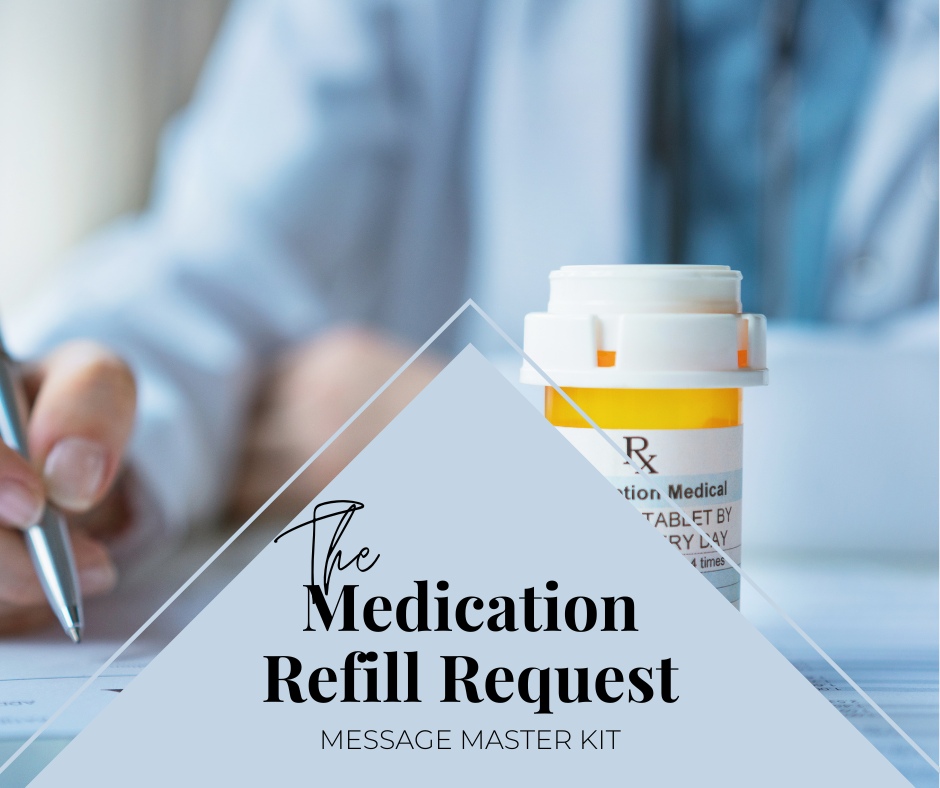
The Refill Request Message Master Kit is a targeted resource for primary care providers designed to streamline medication management. It provides pre-written, customizable templates and a comprehensive workflow guide to efficiently respond to, approve, or reject refill requests. Quickly communicate critical decisions, ensure patient safety with re-evaluation protocols, and reduce the time spent managing this high-volume, administrative task to reclaim your evenings and weekends.