The Lie of the Default EHR: Why You Still Have Work After the Visit
Last Updated: 10/17/2026
Most of the NPs I precept say some version of the same thing in their first weeks: the EHR is slowing me down. I hear it from NPs starting new jobs, too. Every click takes longer than it should, every note takes too long to build, and the charting that should end with the visit follows them home.
The usual conclusion is that the software is bad, or that they are slow. Usually it is neither. The EHR they are using has not been set up for them yet.
Why does the EHR slow you down when you start a new job?
Because on your first day you get the software fresh out of the box. It was configured for a general audience doing the general work of the clinic, not for the way you think, the way you talk, or the data you check before you walk into a room. Until you tailor it, you are working around it instead of with it.
Your organization set it up to serve everyone at once: every NP and physician on the system, every specialty that shares it, billing, compliance, and quality reporting. That is a reasonable thing for an organization to do. It also means nothing in it was built around you.
So the first months feel like friction. You hunt for the same results in different places, rebuild the same note structure for every visit, and type the counseling you already typed yesterday.
The out-of-the-box EHR is a starting point, not a finished tool.
What does tailoring the EHR to how you think actually mean?
It means shaping the system around 3 things: the order you reason in, the words you actually use, and the data you need at each point in the visit. Most EHRs allow a real degree of personalization. The NPs who finish on time are usually the ones who used it, so the screen follows their thinking instead of interrupting it.
How you think matters because you work through a visit in a particular order. Your note can follow that order instead of a generic one, so documenting becomes recording what you already decided.
How you speak matters because text you insert should already sound like you. Then you are confirming it, not rewriting it before you can sign.
What data you use, and when, matters because the results and history you check before you walk in should be where you look for them, not 3 screens away. Built that way, the EHR becomes the instrument you use to take good care of patients and keep a schedule moving, instead of the thing standing between you and both.
Tailoring is not the same as writing more. A note built to follow your thinking is usually shorter, and The Lie of Perfectionism covers why longer is not safer.
I talk through why the default setup is not neutral in Your EHR Is Costing You 2 Hours Every Day.
The goal is an EHR that follows your thinking, not one you think around.
Why doesn't copying a colleague's setup fix it?
Because a setup only works if it reflects how you think and what you would say. Phrases someone else built follow her naming, her wording, and her patients. Most NPs import a large library at a new job, and most of it goes unused. That is not because it was bad. It was never theirs.
I did this myself. When I started at an organization, I was told whose dot phrases I could copy, and I imported dozens of them from colleagues. I do not use a single one.
Some I could not find, because I did not know the naming convention they were built under. The ones I could find were written for someone else's patients, or out of date, or not how I would have said it.
The only dot phrases I use now are ones I wrote myself or reworded from someone else's. I recognize every one, because my initials are on the front of it.
A starting point helps. It only works once you have made it yours.
That is also how I build the Chart Smart Kits: to be copied, reworded in your own voice, and saved under your own initials, not installed as they come. And it works better by whole visit type than one phrase at a time, which Why the Same Hypertension Visit Takes 5 Minutes One Day and 25 the Next explains.
When you start a new job, your schedule fills with patients you have never met. The establish-care visit is the one the default setup handles worst, because every part of the note starts empty.
The New Patient Visit Chart Smart Kit is done-for-you SOAP note templates for that visit. You save them once in any EHR that lets you create your own templates or dot phrases, then reword them until they sound like you.
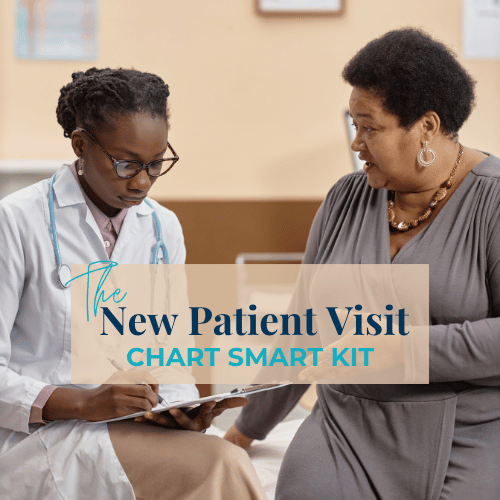
Add Structure to a Visit That Often Goes Sideways
SOAP building blocks for the establish-care visit with a patient you have never met. A new patient visit is not an annual physical, and this kit documents it as what it is: the visit where you build the baseline and set the plan forward.
Won't an AI scribe solve this?
It helps with part of it. An ambient scribe can record the visit and draft a note, but it cannot decide what was clinically relevant, what belongs in the record, or how your reasoning should read. You still review, filter, and reformat before you sign. It is the same problem with one more tool in the middle.
The strongest evidence so far is a randomized trial of 238 outpatient physicians at UCLA, published in NEJM AI in November 2025. One of the 2 scribes tested cut time spent writing notes by 9.5 percent compared with physicians using no scribe. The other made no significant difference. Physicians using either one reported clinically significant inaccuracies occasionally, and the authors concluded those errors call for ongoing vigilance.
A 2026 interview study of 30 outpatient practitioners at UC Irvine Health, published in the Journal of the American Medical Informatics Association, asked why they edited AI drafts. Their reasons included transcription errors, statements credited to the wrong speaker, missing clinical details, and the AI not knowing the patient's history. The authors listed personalization for each individual user among the fixes the tools still need.
Both studies looked at physicians or mixed groups, not NPs specifically, and these tools change quickly. Check the studies themselves before you alter your practice because of them.
A transcript is a record of everything that was said. A note is a decision about what mattered. If your organization offers a scribe, use it. It still leaves you sorting what was said into what belongs in the record, and that sorting goes faster when the note it lands in already follows your thinking.
Software can draft the note. Only you can sign it.
What happens if you never tailor your EHR?
The work goes home with you. Every note built from scratch and every result you hunt for adds minutes the schedule never accounted for. Because NPs in primary care are exempt salaried employees, those extra hours cost your employer nothing, while your salary stretches across more hours and your real hourly rate drops.
Those hours have a name here: spillover hours, the work that follows you home because the schedule was never built to hold it. Know Your Number shows you how to calculate what they do to your hourly rate.
Not every hour that follows you home is an EHR problem. Some of it is messages, results, and refills, which The Chaos of the Inbox covers. Some of it is a schedule that was full before you ever logged in. Tailoring fixes the first kind and does nothing for the other two.
Tailoring recovers the minutes the setup costs you. It cannot fix a schedule built too full.
Wondering Where the Time Goes?
The Spillover Hours Audit is a free tool you fill in with your own week. It shows where the extra time lands and whether the fix is your setup, the way the job is built, or nothing at all, because your week may already work.
What happens to your setup when you change jobs?
Anything you build inside your employer's EHR lives on your employer's system. If you leave, or the organization switches EHRs, your access ends. Wording you refined visit by visit can disappear on your last day, and you start the next job back at the out-of-the-box version, rebuilding from nothing.
This matters even if you have no plans to leave. EHR migrations happen to the NPs who stay, too.
What you build should belong to you.
The login is where the work starts
Your first login gives you the same EHR everyone else got. What you do with it in the first months decides whether it keeps slowing you down, or becomes the tool that lets you close the note before the patient leaves.
That build is part of the job. It just was not on anybody's orientation schedule.
The EHR you were handed is the start of the build, not the end of it.
Related Reading
Your Chart Is the Record. Does It Show Your Reasoning?: what a later reader needs to find in the note your EHR helps you write.
Why the Same Hypertension Visit Takes 5 Minutes One Day and 25 the Next: why a setup built by whole visit type beats one phrase at a time.
Prior Authorization Documentation That Gets Approved the First Time: the same principle, applied to the request that comes back denied.